School management for Pakistan
Admissions to fee challans, one system for your whole school.
Ilm Vanta runs attendance, fees, exams, timetables and payroll, and keeps parents informed on their phones in English or Urdu.
Web for your office, an Android app for teachers and parents.
- Guardians linked by CNIC
- Sibling and other discounts
- Fee challans in rupees
- EOBI, PF and tax in payroll
- Urdu parent and teacher app
- Attendance works offline on the phone
What's inside
Everything a school office does, in one place
Each part works on its own and shares data with the rest, so a student entered once shows up in attendance, fees, exams and the parent app.
Applications to enrolment
Applications, entrance tests, approvals and bulk enrolment. Siblings share one guardian record.
Daily register
Mark a section in seconds. Holidays and weekly offs are skipped automatically.
Challans and receipts
Monthly challans, discounts, part payments and an overdue list your accountant can trust.
Marks and report cards
Grade scales, positions per section and printable report cards.
Periods and covers
Build the weekly timetable, catch teacher clashes, and assign a cover when a teacher is absent.
HR and leave
Staff records, staff attendance and leave requests with approval.
Salaries and payslips
Allowances, PF, EOBI and tax, with deductions for absences calculated for you.
Parents stay informed
Absence alerts, fee reminders and announcements by app, email or a WhatsApp button.
See it
Real screens from a demo school
These are screenshots of Ilm Vanta itself, taken from a demo school with made-up students and staff.
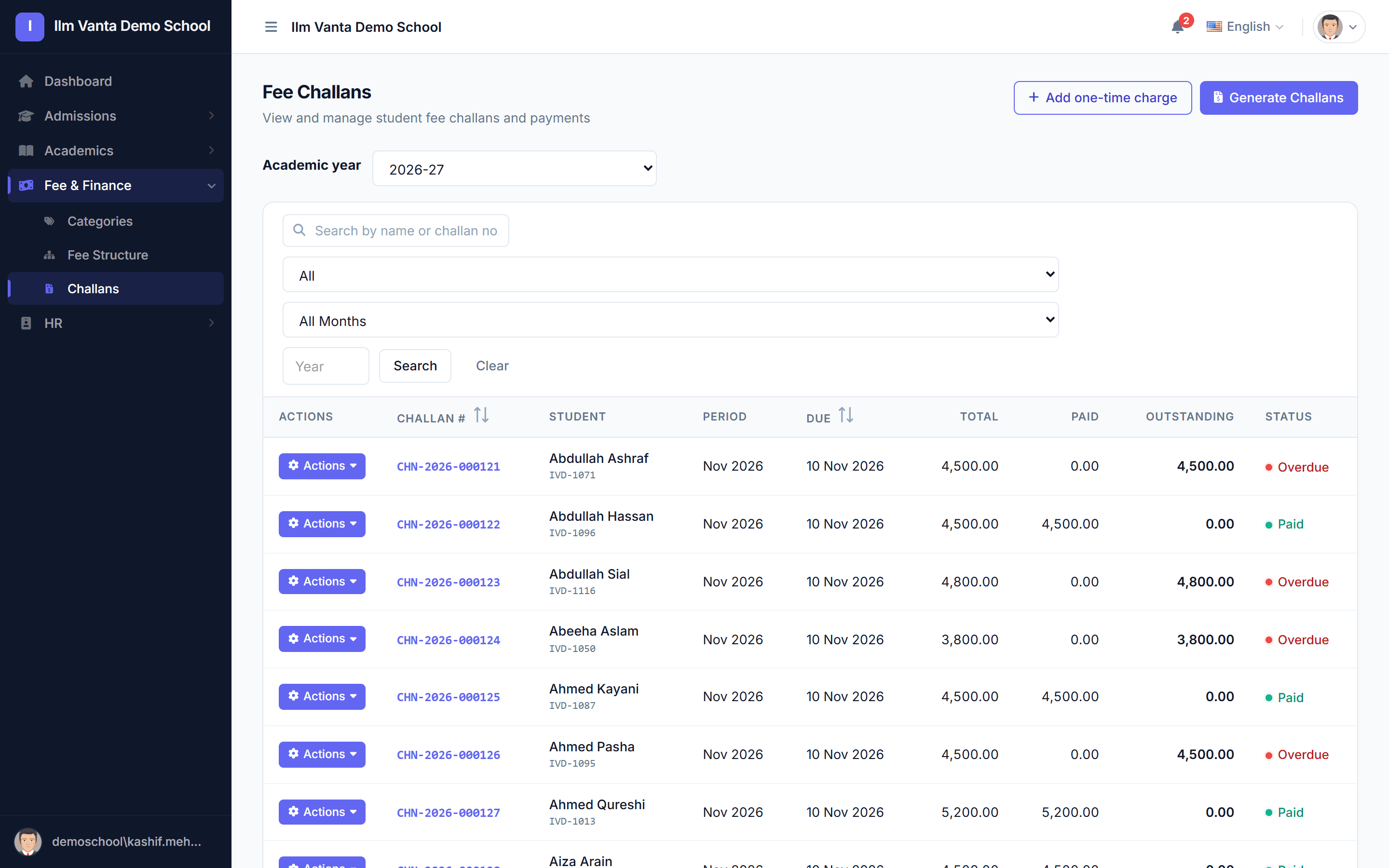
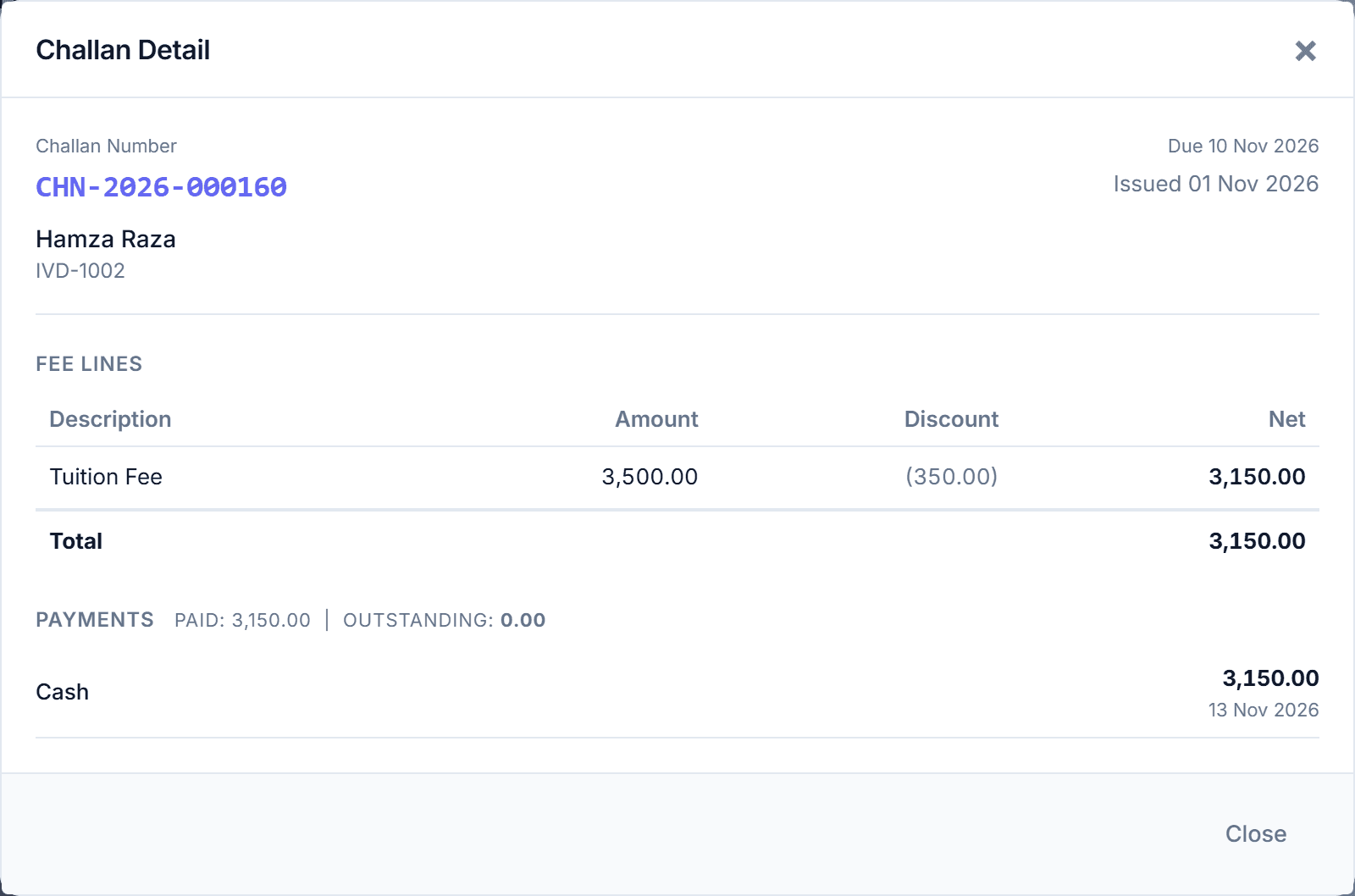
Challans, discounts and payments
Generate a month of challans for the whole school in one go. Sibling and other discounts are applied, part payments are recorded, and the overdue list stays accurate.
- Monthly and one-time charges
- Cash, bank transfer and cheque receipts
- Paid, part paid and overdue at a glance
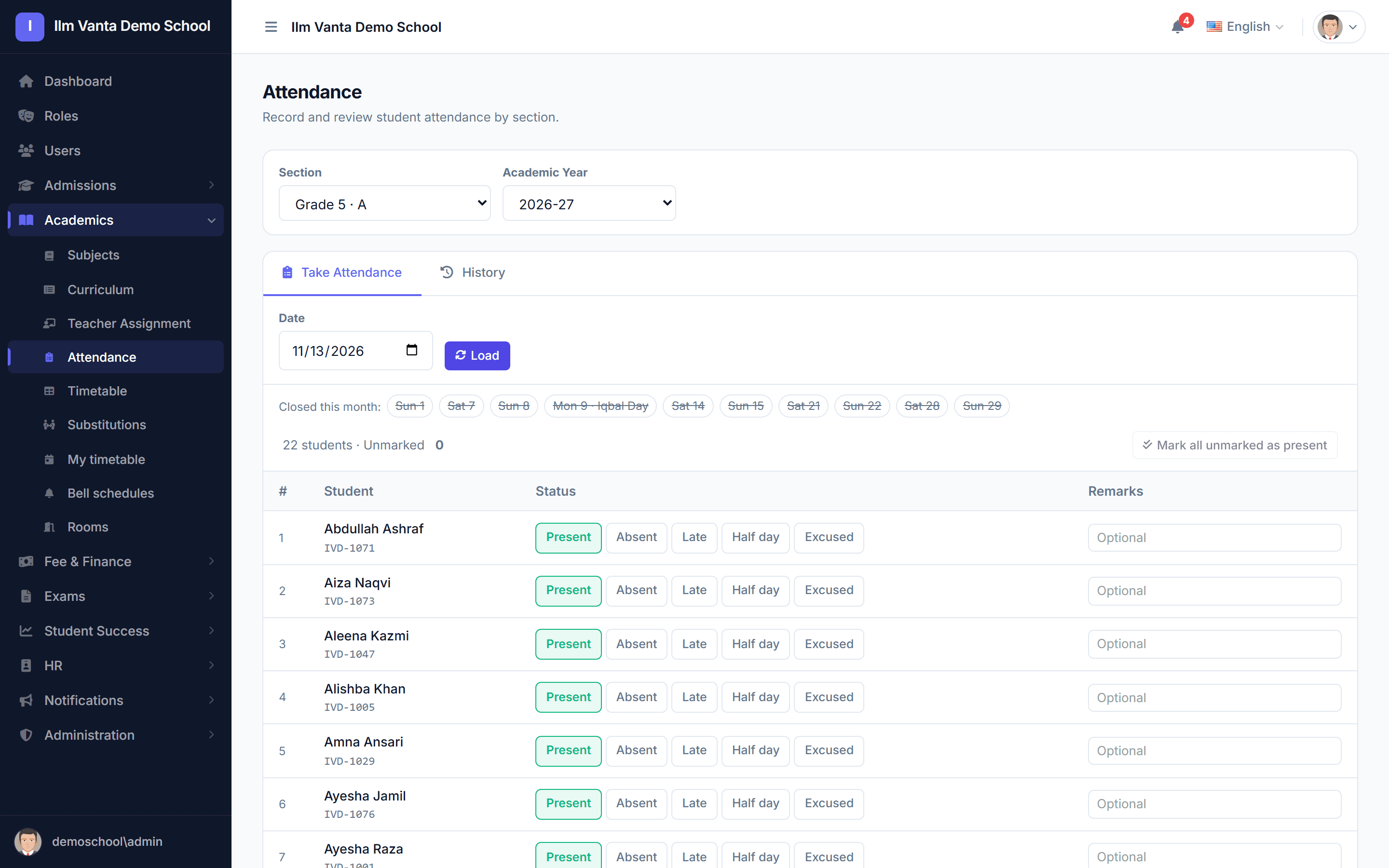
The daily register in a minute
Pick a section and mark the day. Weekends and holidays such as Iqbal Day are closed automatically, so nobody marks a day the school was shut.
- Present, absent, late, half day, excused
- Teachers can mark from the phone, even offline
- Monthly history per section and per student
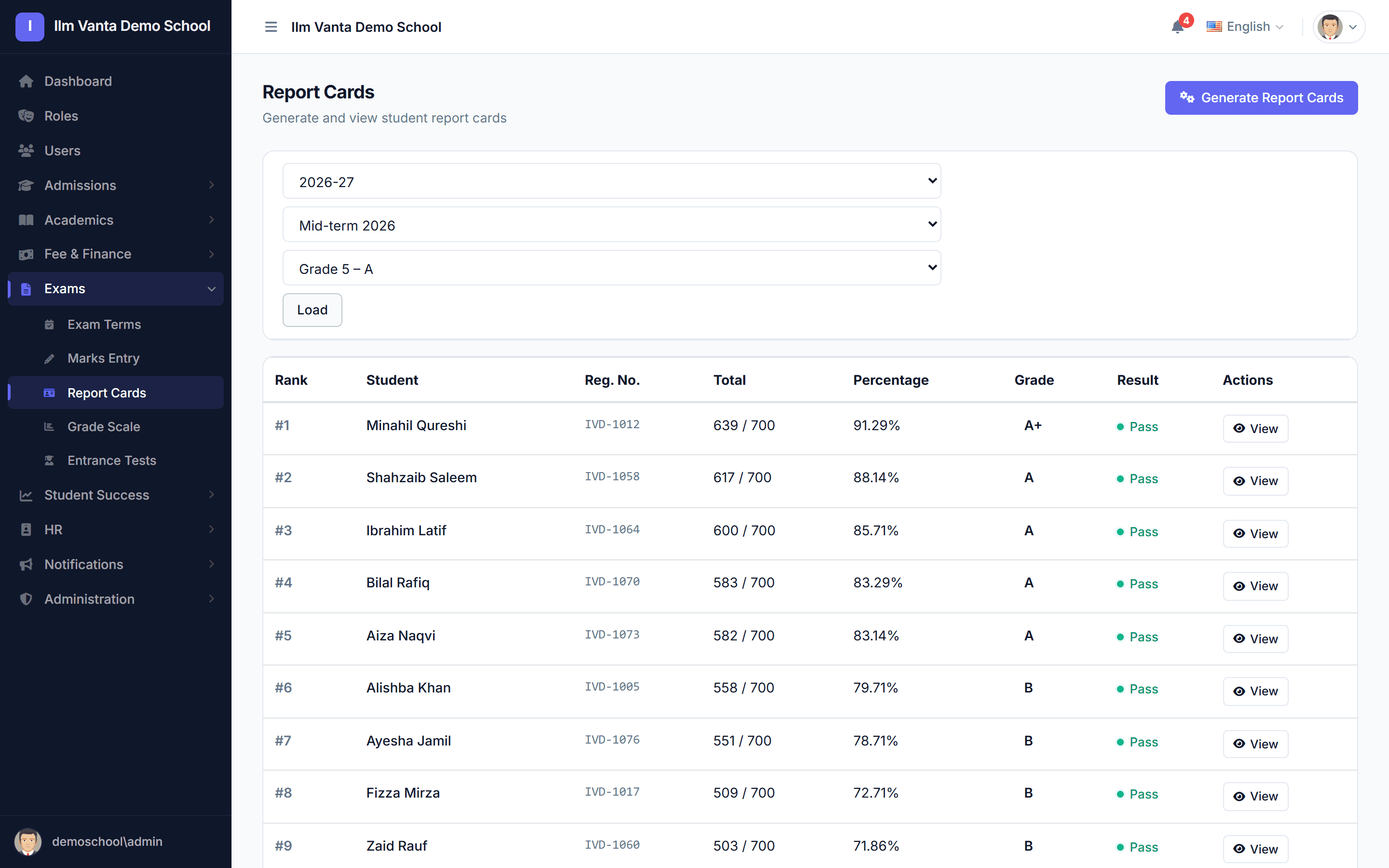
Marks to report cards
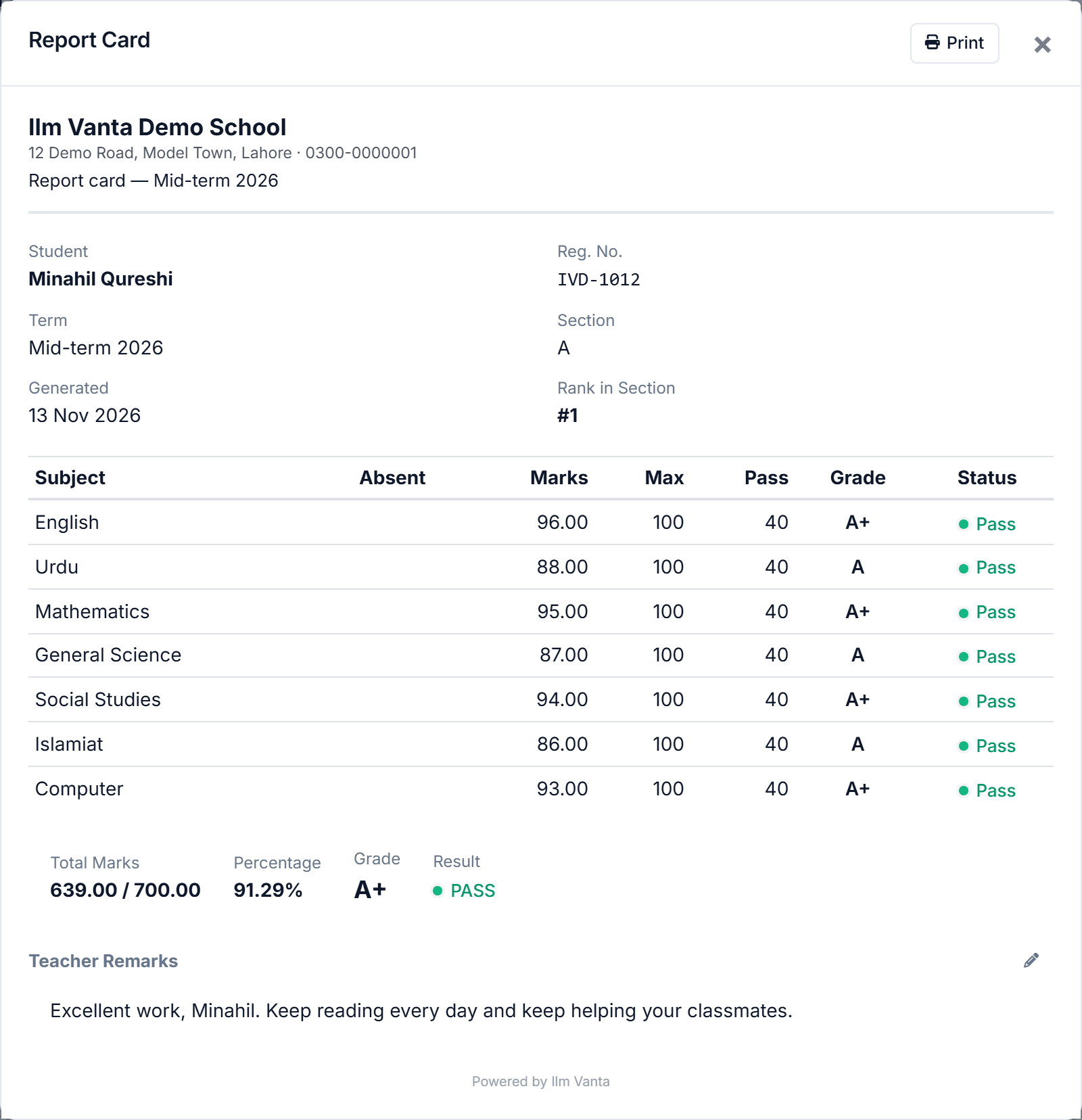
Enter marks per subject, and report cards are worked out with totals, grades and the position in the section, ready to print or share.
- Your own grade scale
- Rank in section
- Teacher remarks
Timetable and covers
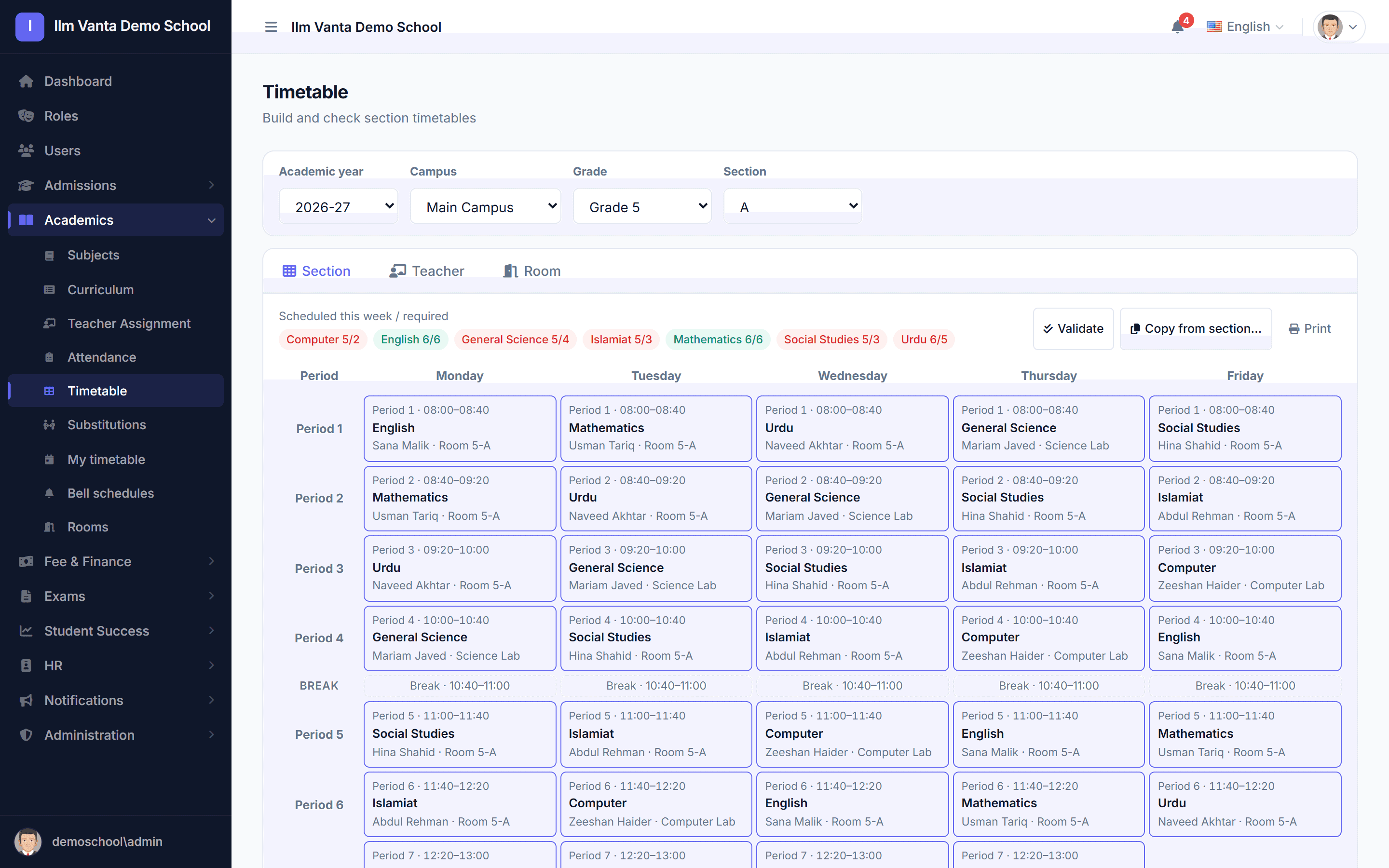
Build the weekly timetable section by section. Clashes for teachers and rooms are refused, and when a teacher is on leave the periods that need cover are listed for you.
- Bell schedules per campus
- Teacher and room views
- Covers from approved leave
Salaries and payslips
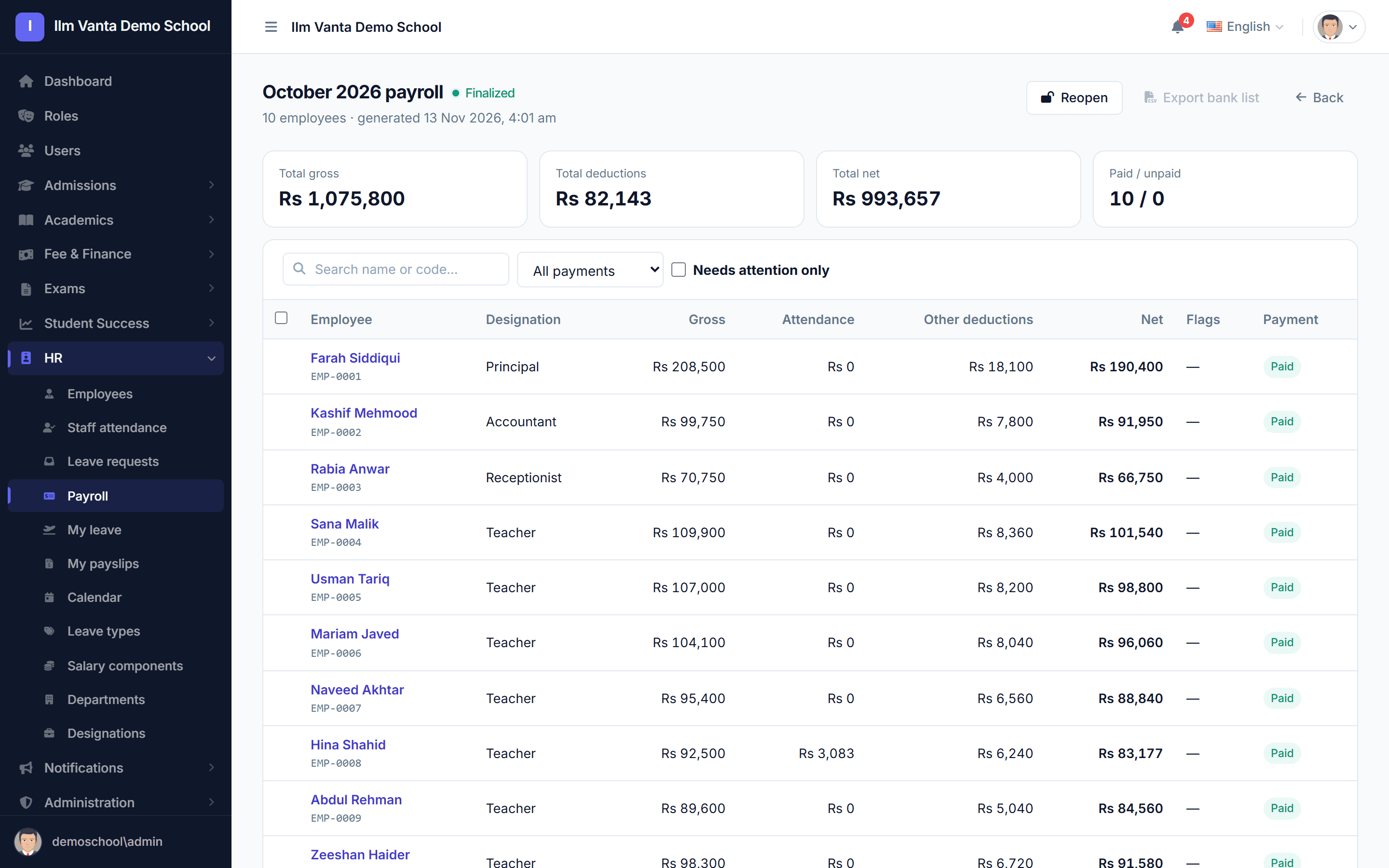
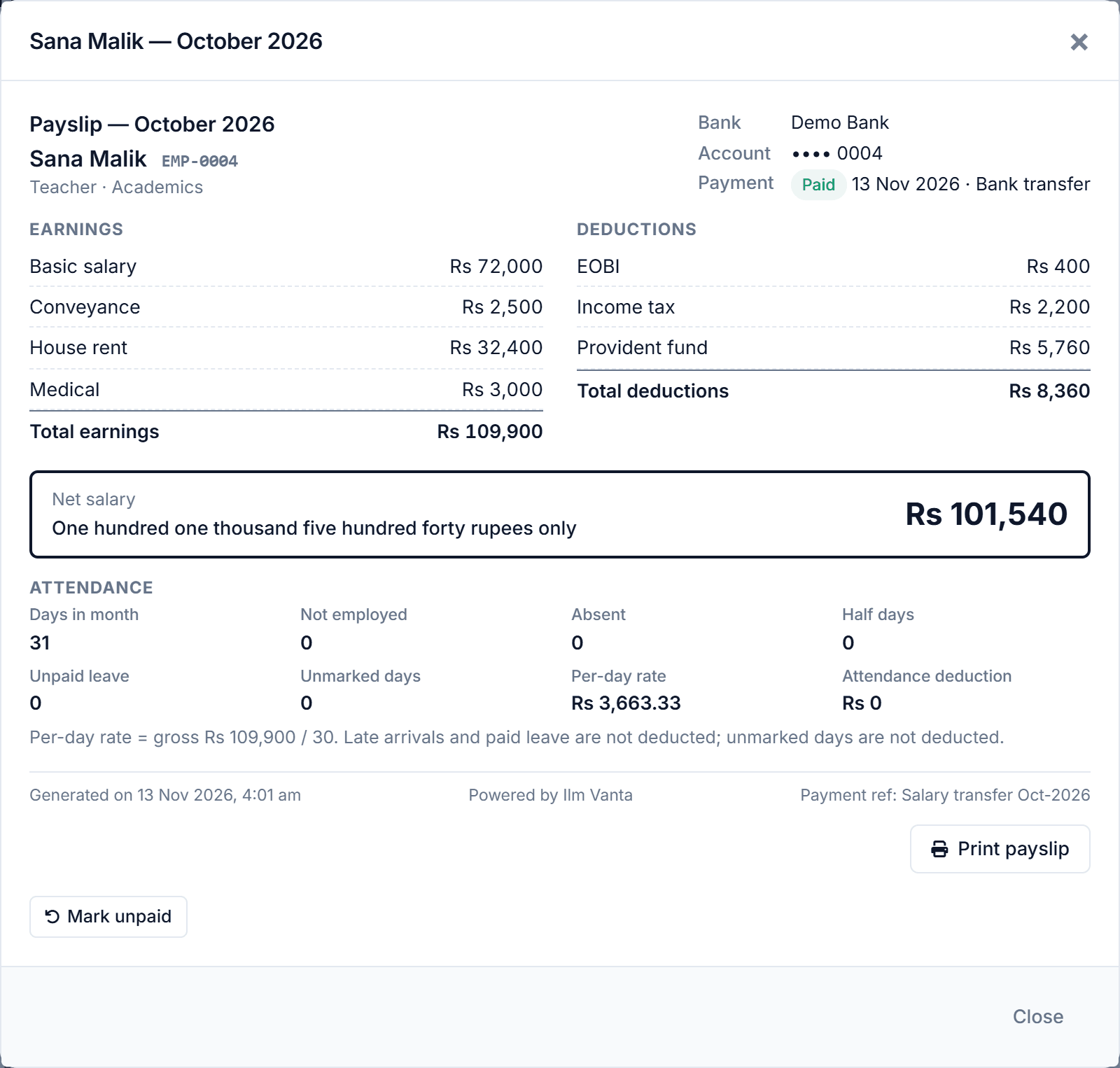
Allowances, provident fund, EOBI and tax come from each salary structure, and absences are deducted from staff attendance.
- Payroll run per month
- Payslips with net salary in words
- Bank transfer list
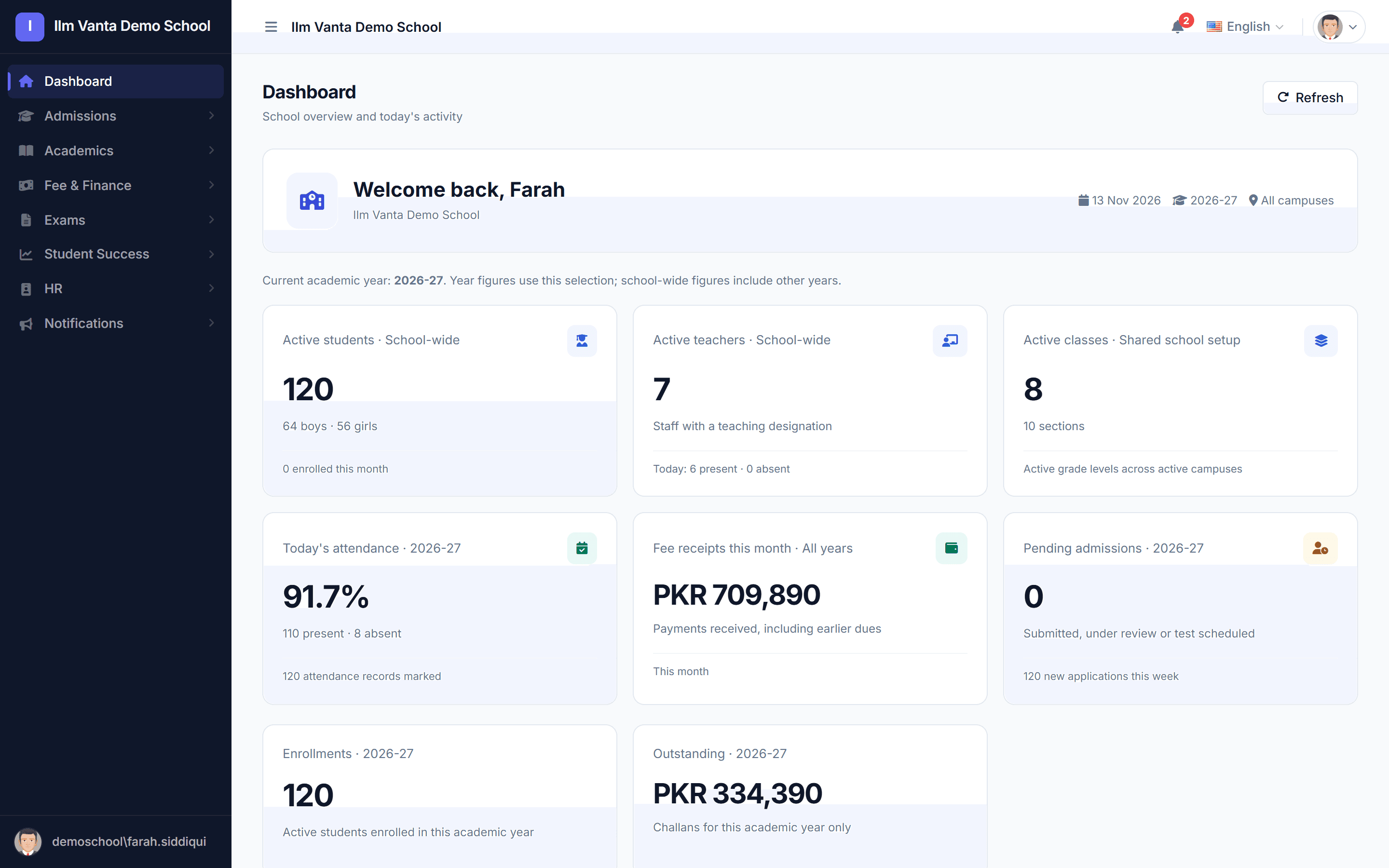
The whole school on one screen
Students, teachers present today, attendance, fee received this month and what is outstanding, for the principal and the owner.
- Today's attendance
- Fee received and outstanding
- Pending admissions
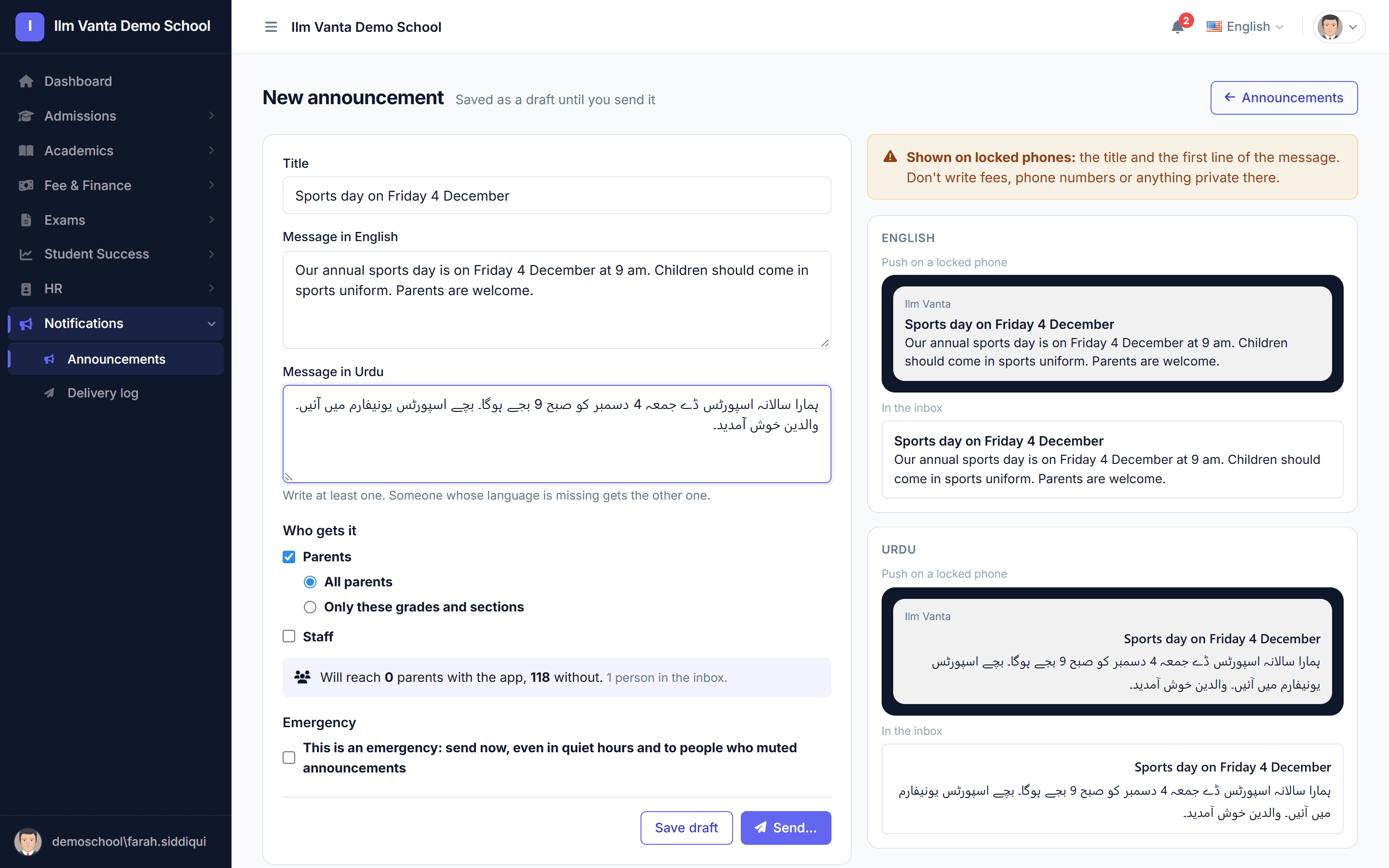
Announcements in English and Urdu
Write once in both languages and see exactly what parents will see on a locked phone and in their inbox before you send.
- All parents, or chosen grades and sections
- Staff notices
- Emergency notices that skip quiet hours
Who uses it
Each person sees only their own work
Owner and principal
- Fee collected vs outstanding
- Attendance across sections
- Approve leave and admissions
Front desk and accountant
- Enquiries and admissions
- Generate and collect challans
- Record payments and receipts
Teachers
- Today's periods and covers
- Attendance from the phone
- Enter exam marks
Parents
- Attendance and results
- Fee due and paid
- School announcements
Mobile app
Your school's name on every parent's phone
Parents and teachers use one Android app. After sign-in it shows your school's name and logo, in English or Urdu.
- Parents with two or more children switch between them in one tap.
- Teachers see today's periods, including covers for absent colleagues.
- Recent data stays readable without internet.
- Parents without the app can use the web portal.
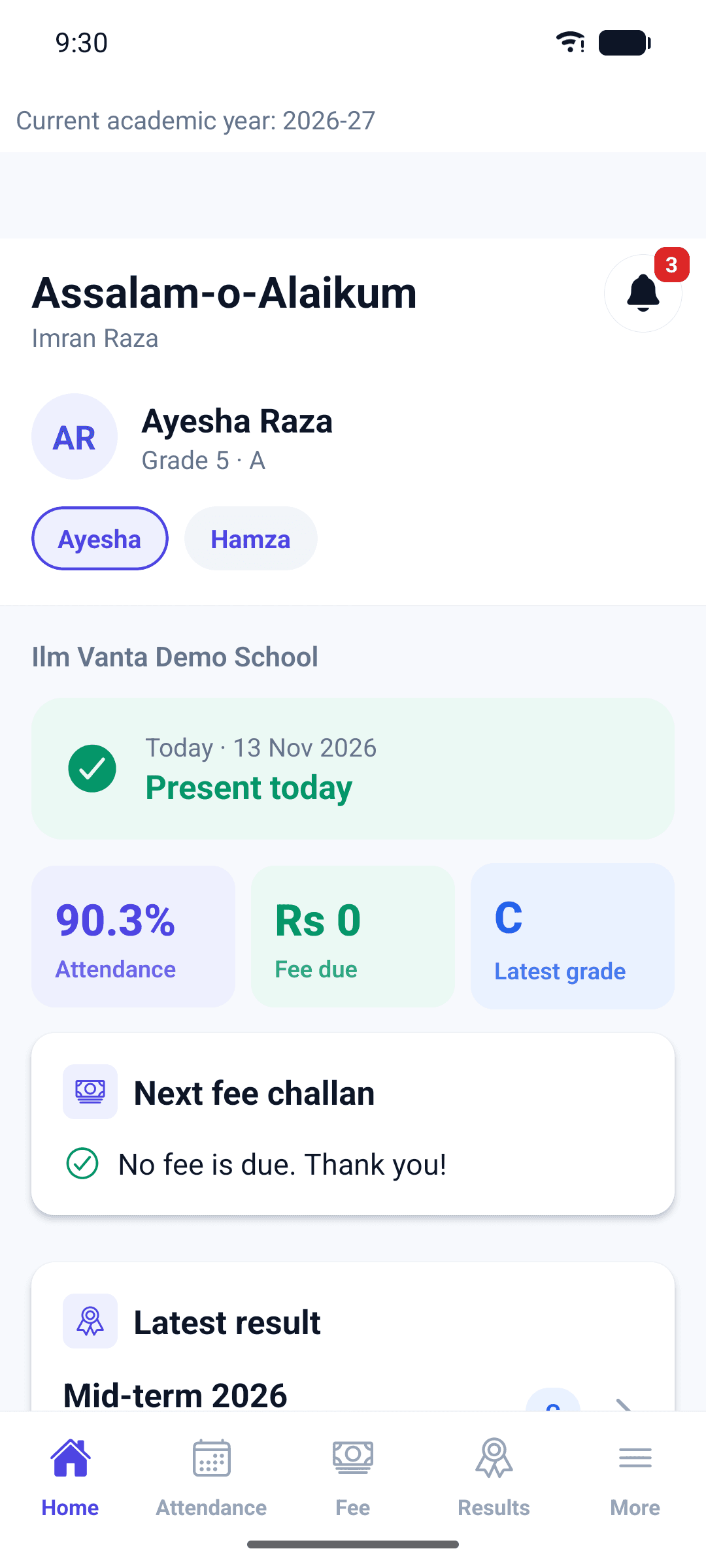
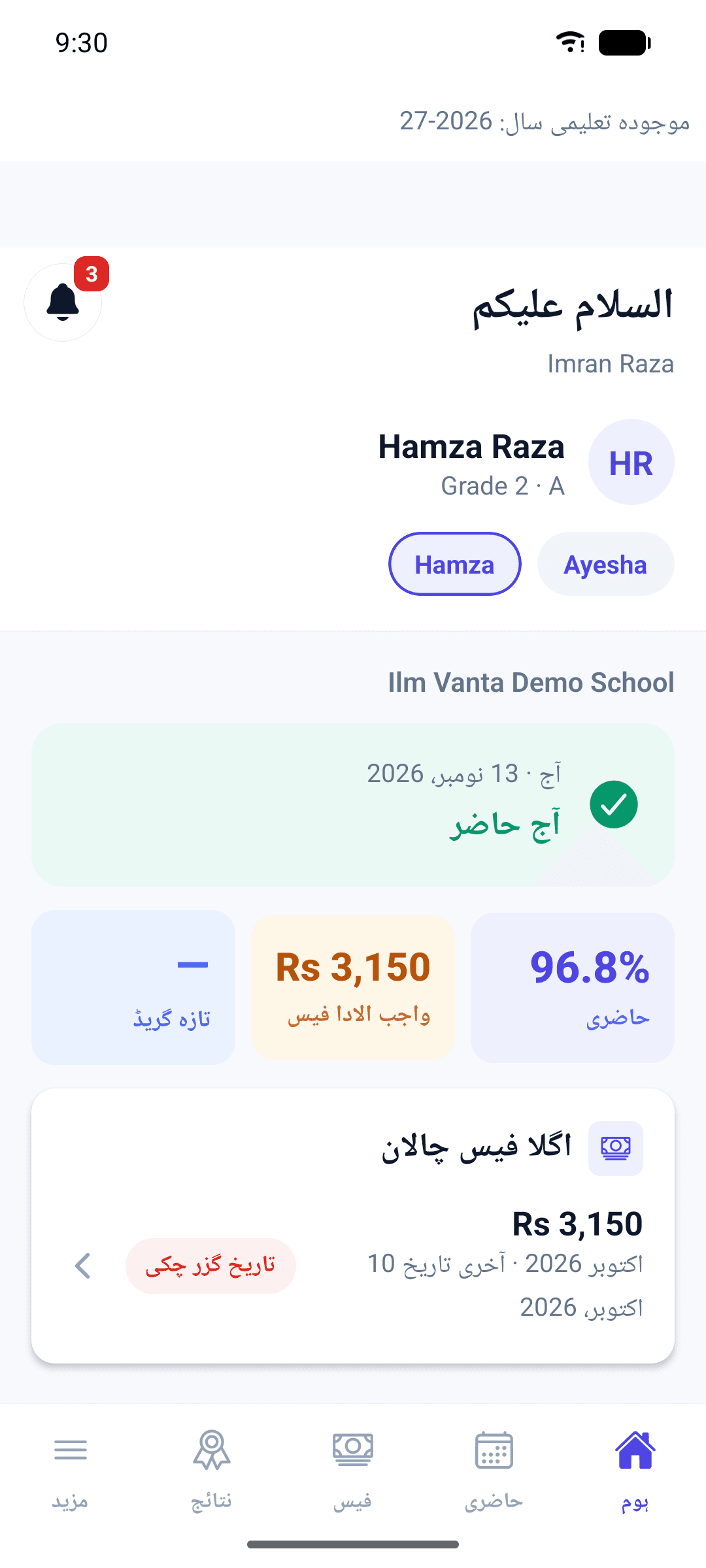
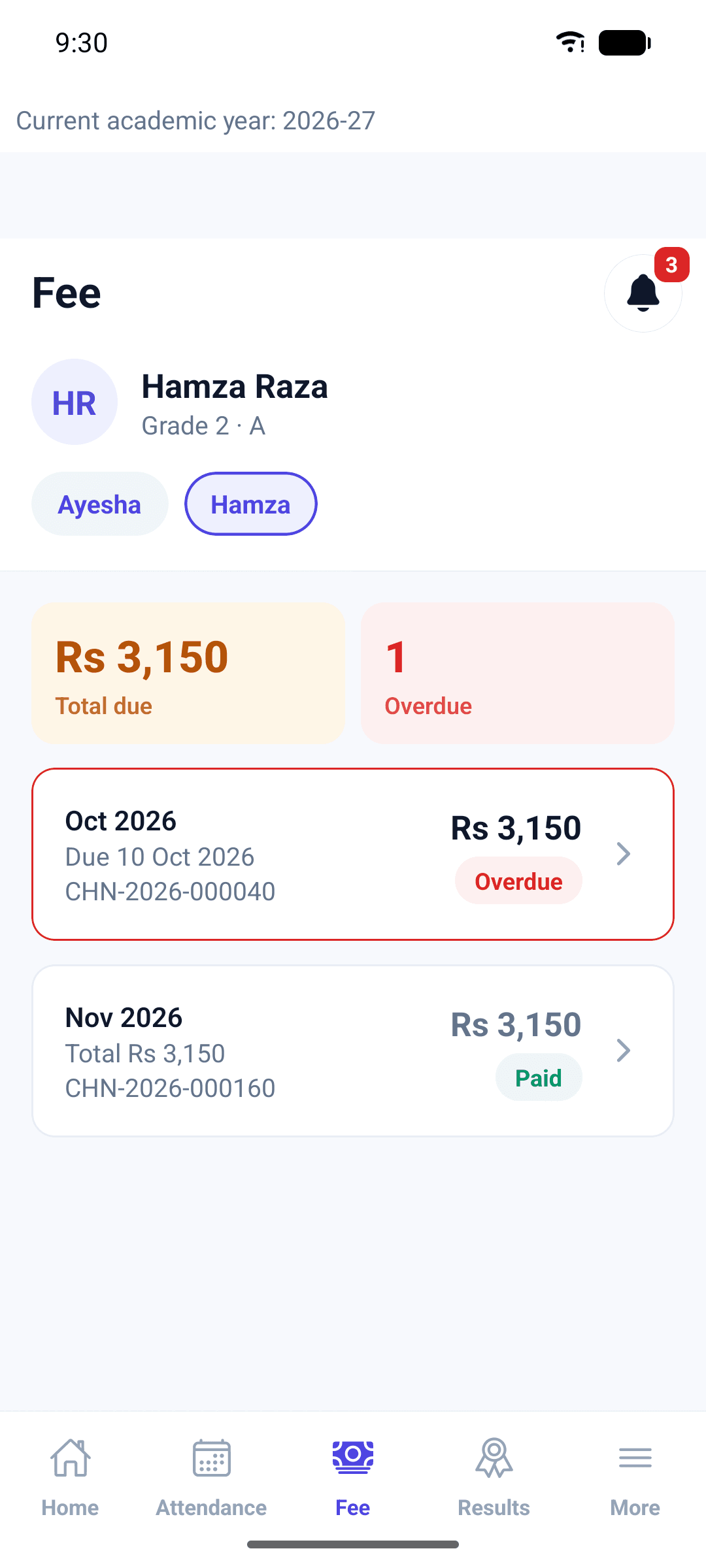
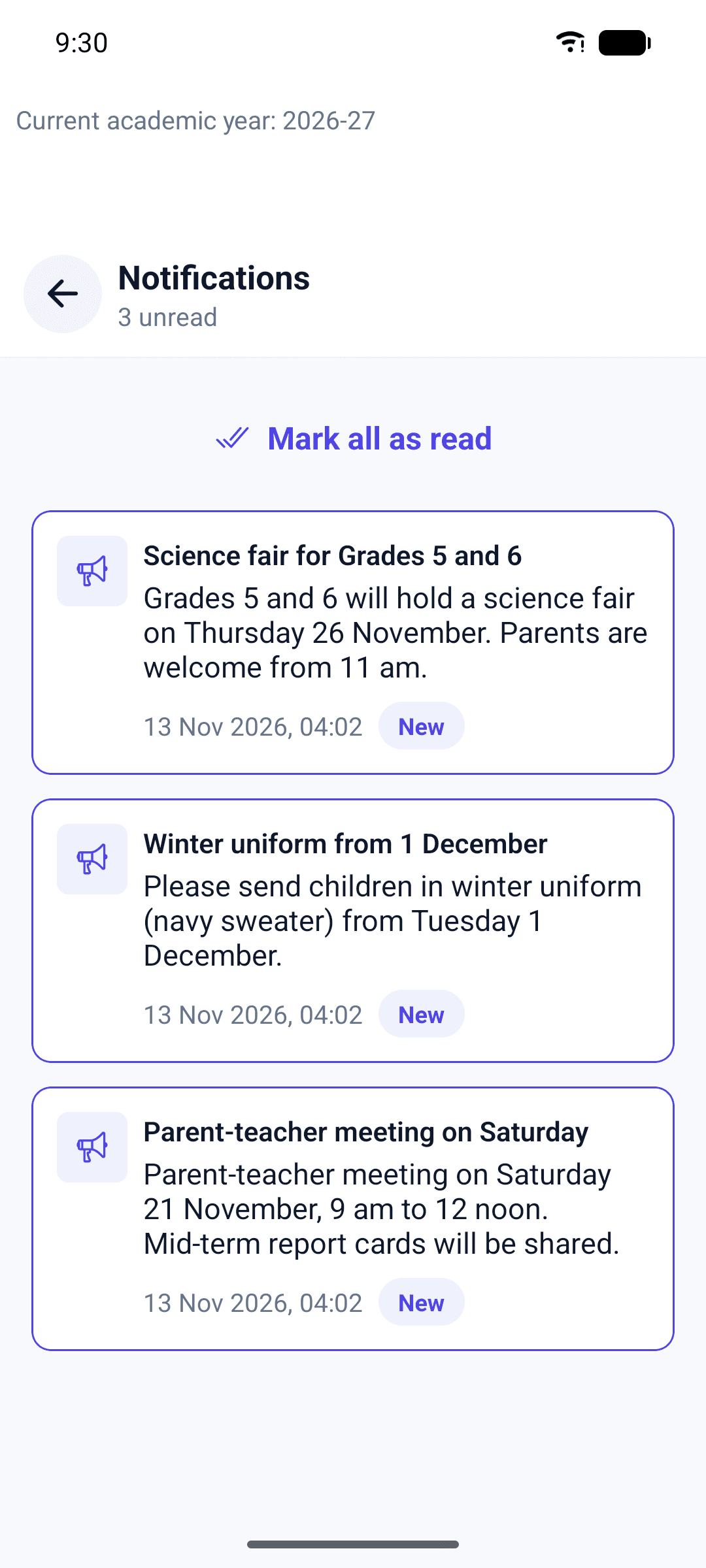
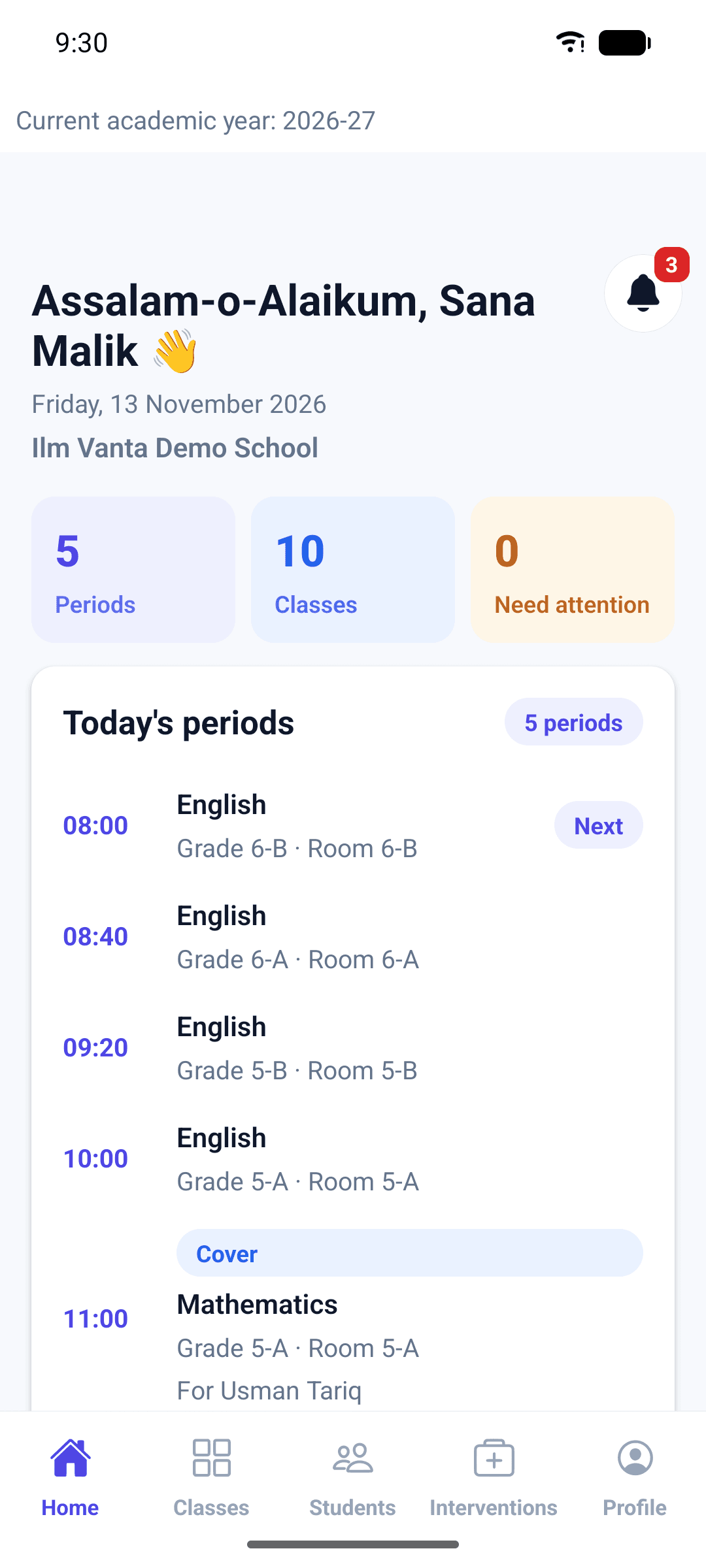
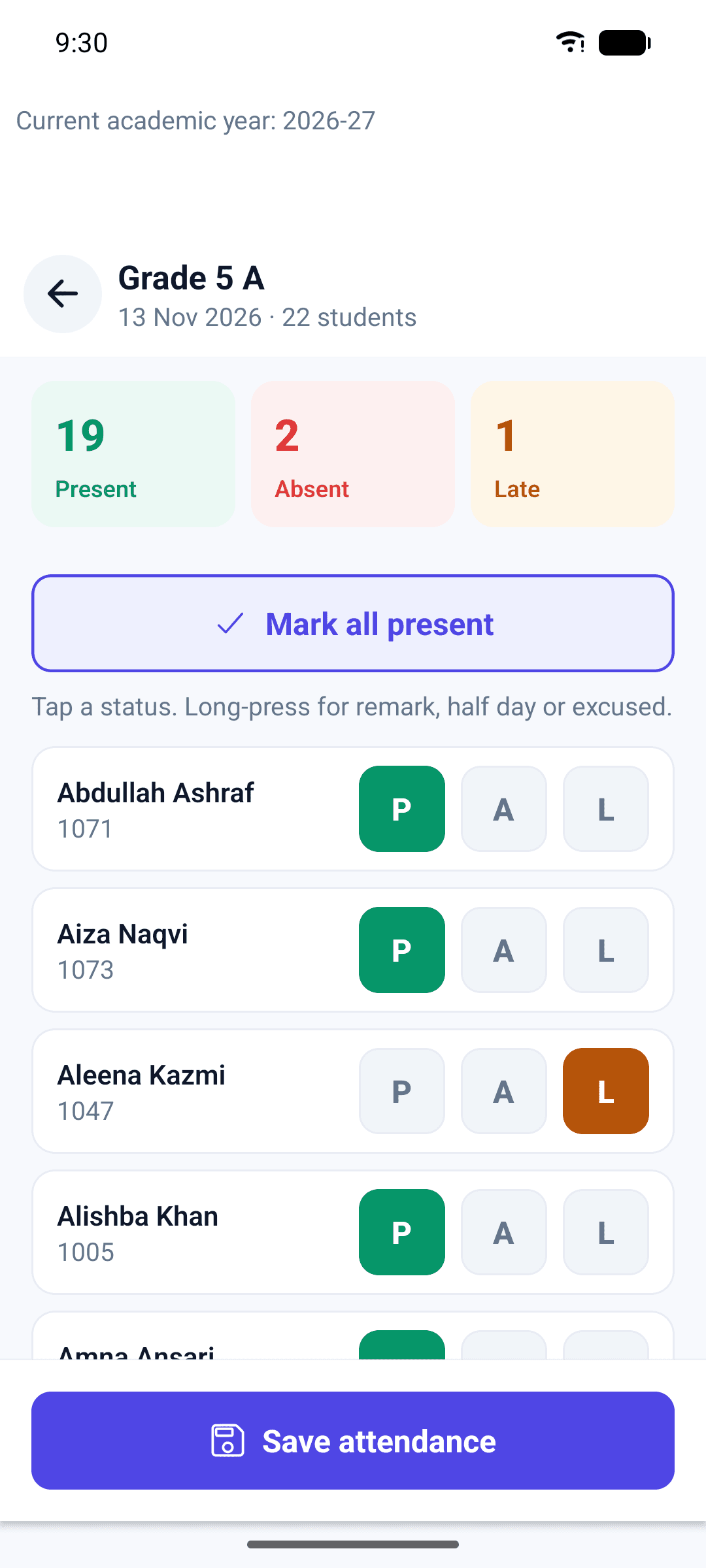
Screenshots from the Android app (demo school, made-up data).
Getting started
From first call to your first challan
See it with your data
A short online demo using a school like yours: your classes, your fee structure.
We set up your school
Campuses, classes, sections, fee heads and staff accounts. Send your student list and we help bring it in.
Train and go live
Your office staff and teachers get a walkthrough, and parents get an invite link to the app.
Plans
Pay for what your school uses
Price depends on the number of students. Pay monthly, quarterly or yearly.
Basic
For a school starting with fees and attendance
- Admissions and students
- Daily attendance
- Fee challans and receipts
- Notifications (app inbox, email, WhatsApp button)
- Teacher app for attendance
Standard
For a full academic year
- Everything in Basic
- Exams and report cards
- Parent portal and parent app
- Timetable and covers
Premium
For schools with their own staff office
- Everything in Standard
- Staff HR and leave
- Payroll and payslips
- Audit logs
An optional AI assistant that answers staff questions about students, attendance and results. Switched on per school, on request.
Your data
Kept private, kept safe
Your school only
Each school's data is kept separate. Staff see only what their role allows.
Every change recorded
On Premium, audit logs show who changed what and when.
Encrypted connection
All traffic runs over HTTPS, with daily database backups. Privacy policy
FAQ
Questions schools ask
Do parents have to install an app?
No. On Standard and Premium, parents can use the Android app or open the parent portal in any browser.
Is there an iPhone app?
Not yet. Parents with an iPhone use the parent portal in Safari, which shows the same information.
Does it work in Urdu?
The parent and teacher app works in English and Urdu, and announcements can be written in both. The office screens are in English.
Can teachers use the app on the Basic plan?
Yes. The teacher app is included on every plan.
Can we have more than one campus?
Yes. Classes, bell schedules and holidays can be set per campus.
What happens if a payment is late?
You get reminders and 2 days of grace. After that the system becomes read-only until payment, and your data stays safe.
Who owns the data?
Your school does. We can provide a full export of your school's data on request.
Book a demo
See Ilm Vanta with your school's classes
Tell us a little about your school and we'll call you to set a time.